Write, reveal and revisit.
Early project boards show the writing sheet, sphere and calendar. The recovered baseline reproduces that interaction.
GLASSPHERE / NATIVE JOURNAL
Good news can bring joy and sadness at the same time. I built GlasSphere so I could write about both in my own words, see them together in colour, and come back to the entry later.
See the original interaction ↓Early GlasSphere prototype, rebuilt and recorded in Xcode Simulator. The walkthrough uses a fictional journal entry.
01 / FIRST USE
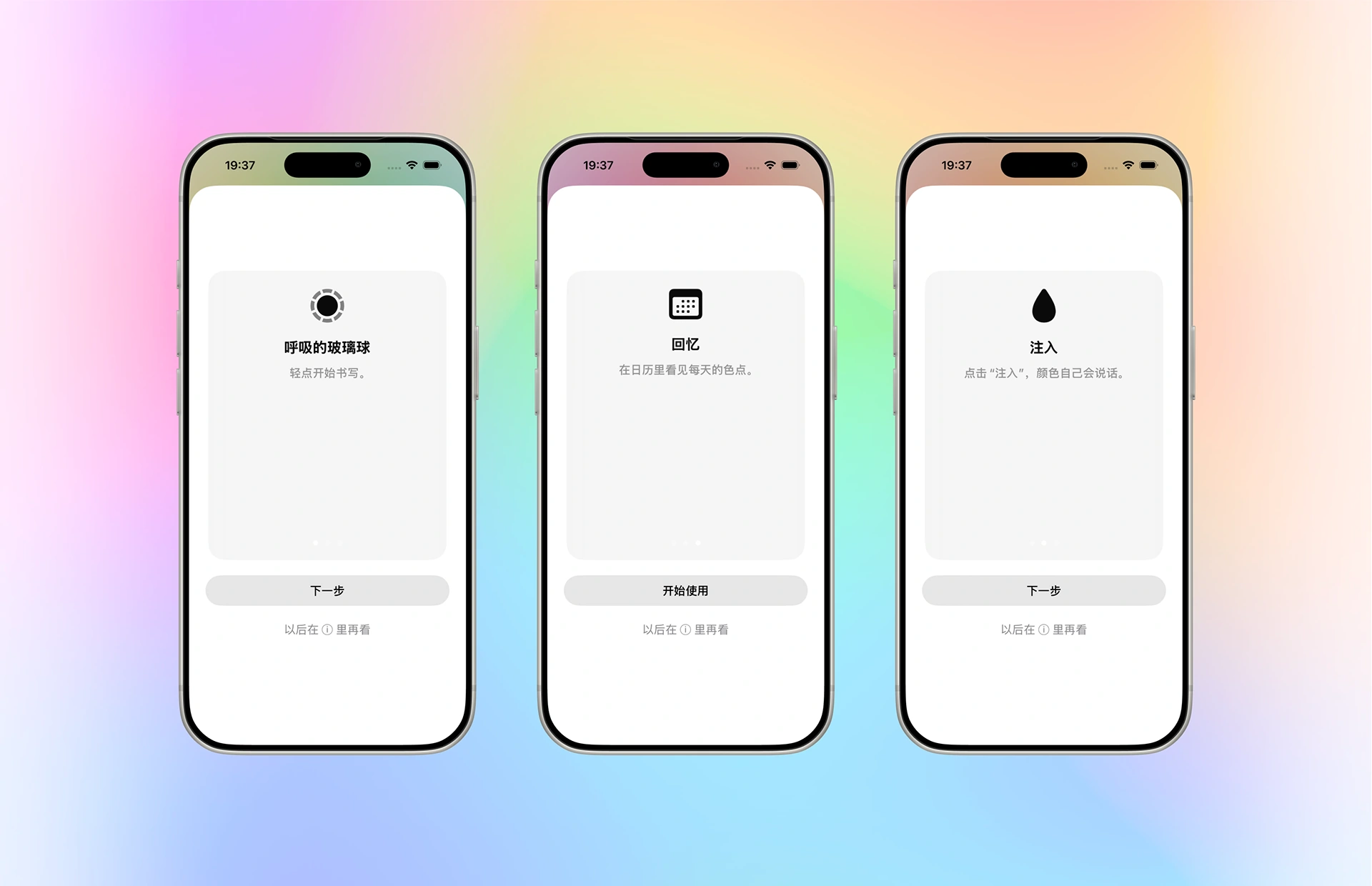
The sphere is the starting point. Three short onboarding cards show where to write, what “Inject” does, and where an entry goes afterwards.
02 / ORIGINAL INTERACTION
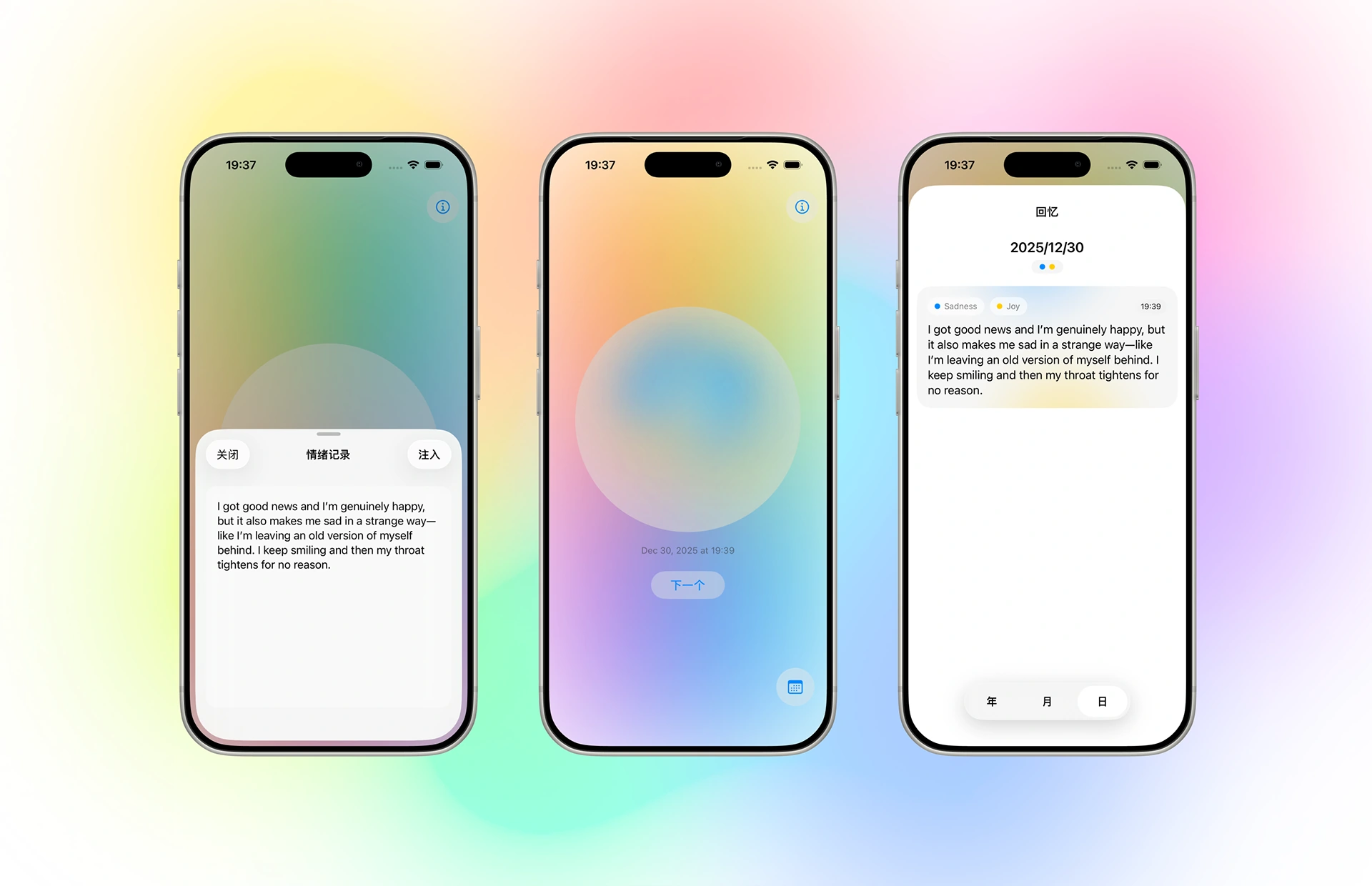
I wanted writing to come before choosing a mood. Tapping “Inject” turns the suggested feelings into layers of colour in the sphere, while saving the words with the entry.
03 / CALENDAR AND MEMORY
The year view gives me a quick overview, the month view helps me find a day, and the day view gives me back the words and the suggested feelings.
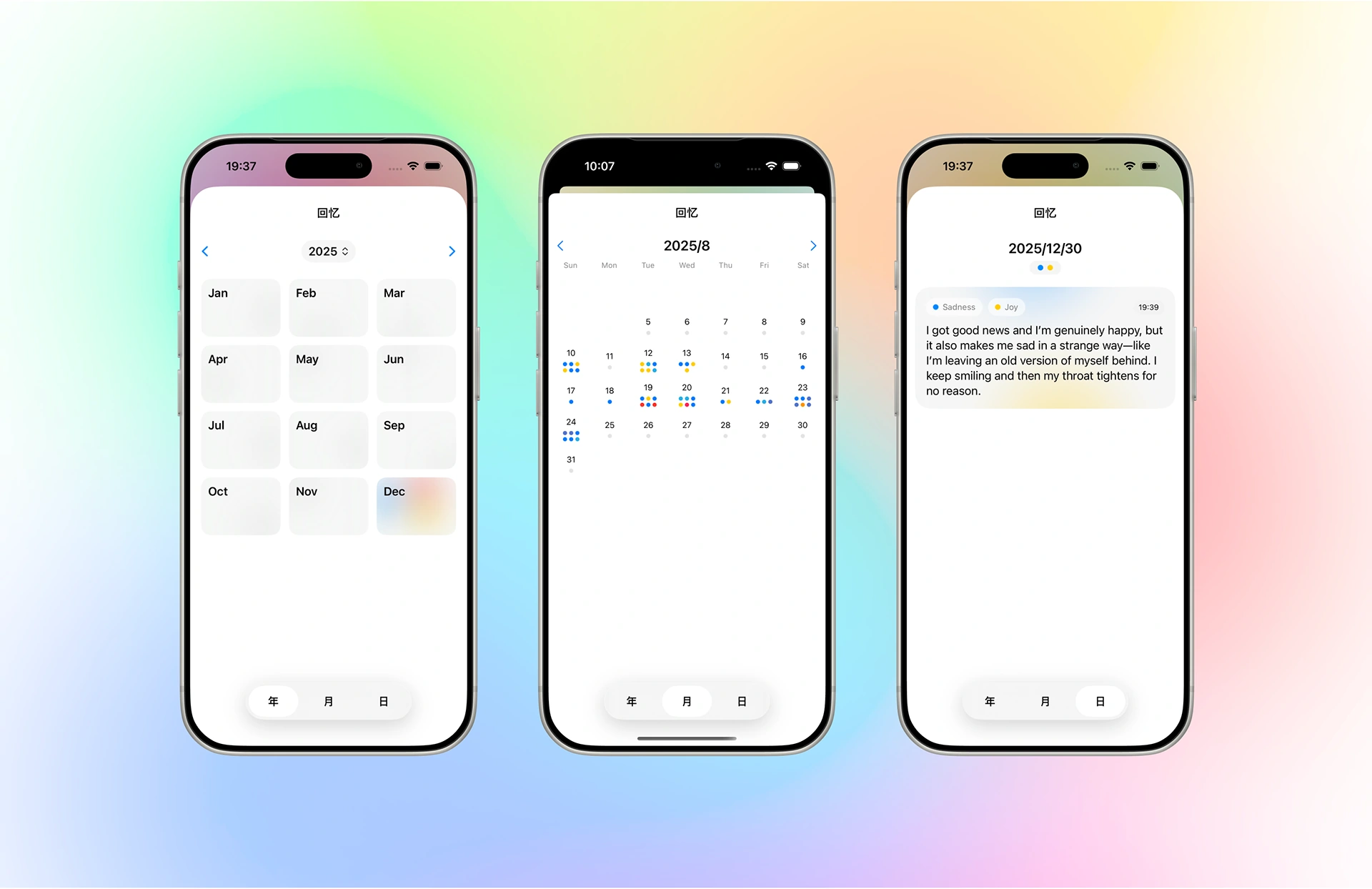
In the walkthrough, I return to the same sentence I wrote. The saved entry shows Sadness and Joy together.
04 / LATER REFINEMENT · 2026
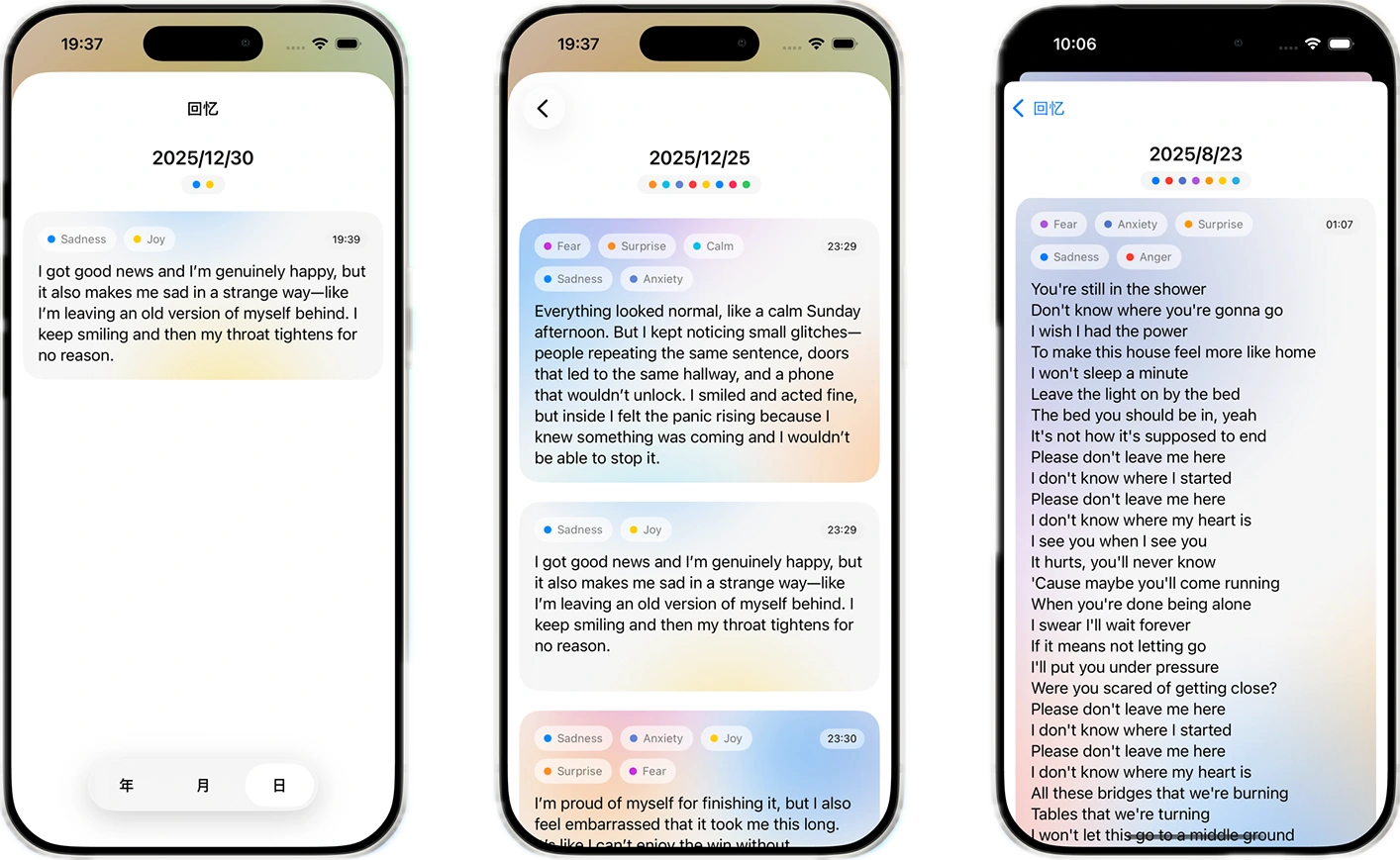
The early result showed a sphere. In a later iteration, I added a card that names the suggested feelings and lets the writer confirm or adjust them.
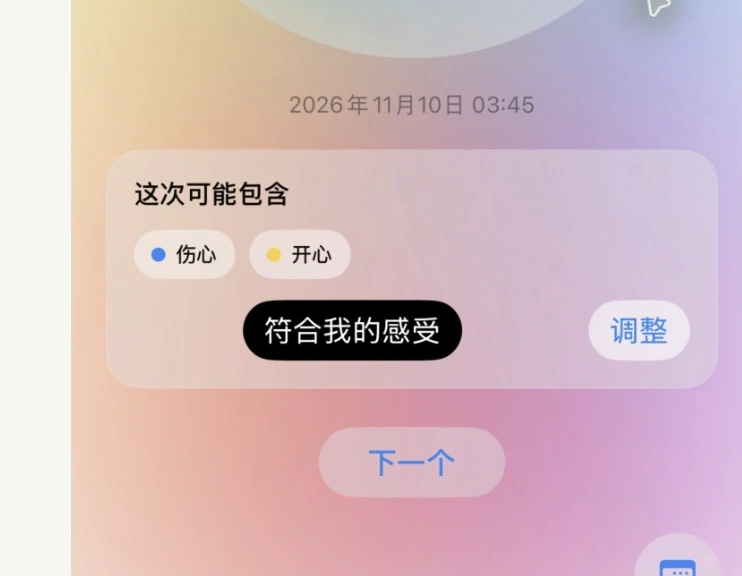
WHAT CHANGED
The writer can change what the colour represents. The record can keep the original suggestion alongside the writer’s choices.
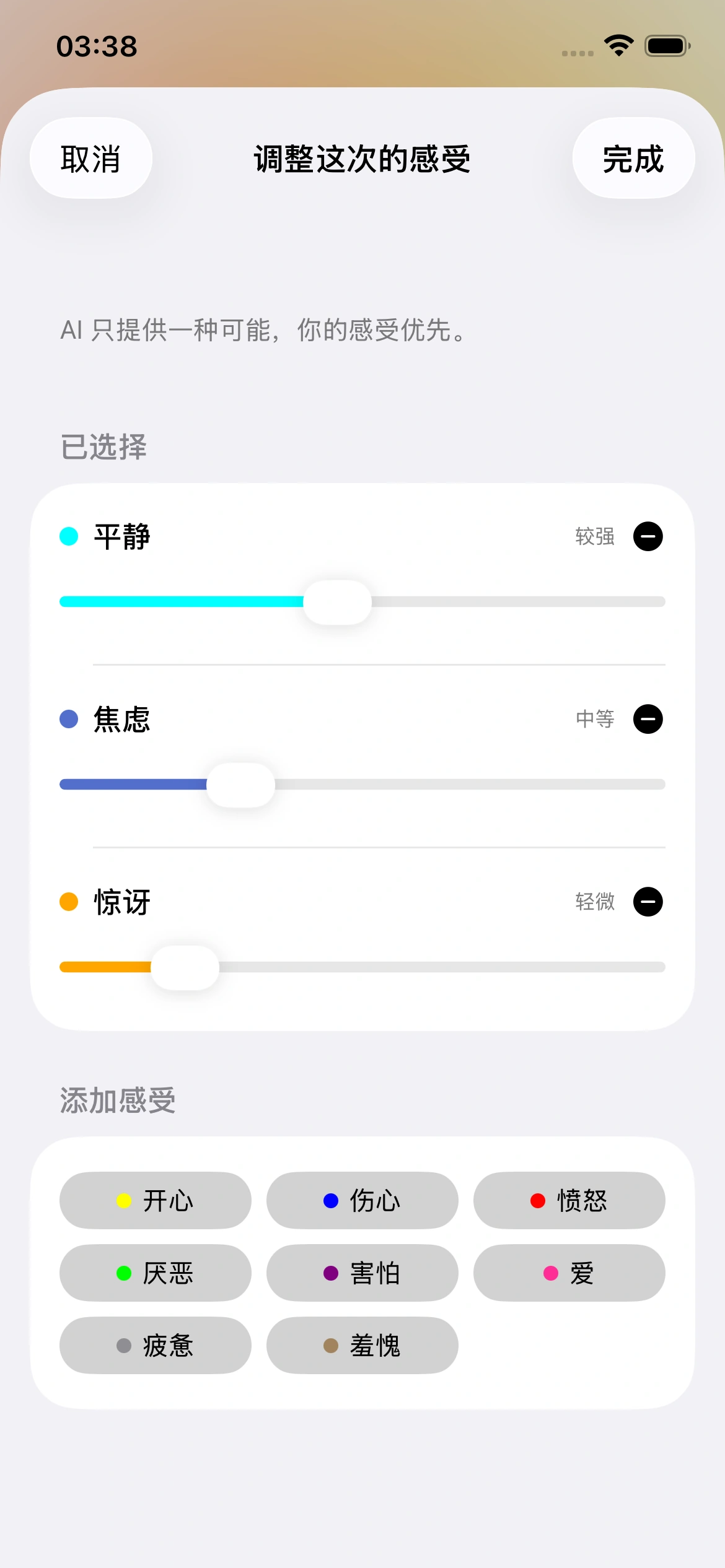
05 / IMPLEMENTATION
One local analysis produces a set of feelings, colours and weights. The sphere renders that mix right away; the calendar uses the saved result to connect it back to the date and text.
SWIFT · CONTENTVIEW V1.SWIFT
let comps = analyzer.analyze(userInput)
components = comps

// … haptic feedback and animation omitted
let rec = EmotionRecord(id: UUID(), date: displayDate ?? Date(), text: userInput, components: comps)
store.records.append(rec)
Excerpt from the recovered baseline. The analyzer can fall back to rules if the model cannot run.
The source uses Natural Language tokenisation, a WordPiece vocabulary, Core ML and local rules. Text and colour components are stored locally for the calendar.
Yewei recalls training the journal model in 2025 with ChatGPT 5 assistance and public language data from Google. The exact dataset, training notebook and evaluation results have not been recovered. The build and recorded walkthrough verify the app flow; they do not measure recognition accuracy.
Native source audit ↗06 / PROJECT HISTORY
In GlasSphere, colour helps me revisit something I wrote. In the chat study, I use colour to show how the assistant is responding while the conversation is still happening.
Early project boards show the writing sheet, sphere and calendar. The recovered baseline reproduces that interaction.
A later version adds confirmation and adjustment.
The browser demo uses scripted conversations. It does not run the journal model.
A separate camera prototype explored expression input. See the early camera experiment ↗
The walkthrough was recorded on 13 November 2026 from an isolated build of the recovered GlasSphere baseline (ecae19e). The app sources were left intact. Xcode UI automation entered a fictional sentence and verified that it reappeared in the day view.
The design boards are original reference material supplied by Yewei. The confirmation card is from a later build. The earlier eight-second motion capture remains available as a separate reference.